Smart Home Essentials in Clifton Park: Thermostats, Cameras, Video Doorbells, and circuit breaker repair clifton park ny

Smart home devices are no longer a luxury; they’re a practical way to make your home safer, more comfortable, and more efficient. In Clifton Park and across Upstate New York, homeowners are upgrading to smart thermostats, modern security cameras, and video doorbells to monitor properties, cut utility bills, and streamline daily routines. If you’ve been wondering whether these upgrades are worth it—or how to do them right—the answer is yes, and the timing has never been better.
Vasiliy, a trusted local handyman and installer, has helped hundreds of homeowners choose and integrate the right devices without headaches or hidden costs. Whether you’re planning a single device or a whole-home system, Local Handyman Repair brings the right combination of know-how, electrical safety awareness, and friendly service to every job.
The Smart Home Shift in Clifton Park and Upstate NY
Our region’s seasons make smart tech especially useful. Winters can be long and cold, and summers warm and bustling. A smart thermostat helps keep your home comfortable and efficient through temperature swings, while security cameras and video doorbells provide peace of mind whether you’re away for a quick Adirondack getaway or commuting into Albany.
What’s changing is not just the technology—it’s homeowner expectations. Today’s homeowners want to:
- Remotely check on packages, visitors, and driveways in real time.
- Cut heating and cooling costs without sacrificing comfort.
- Get instant alerts for motion, doorbell rings, or unexpected activity.
- Integrate devices into a simple, app-based ecosystem that “just works.”
With the right installation and configuration, a smart home setup becomes a dependable part of your daily routine, not another tech headache.
How Smart Thermostats, Cameras, and Video Doorbells Deliver Daily Value
1) Energy Savings with Smart Thermostats
Smart thermostats learn your schedule, optimize run times, and automate temperature adjustments. In practice, that means fewer hours of wasted heating or cooling when no one’s home. Features like geofencing, occupancy sensing, and adaptive learning help you stay comfortable while trimming energy costs. In cold Clifton Park winters, you can preheat your home before you return from work; during summer, you can cool efficiently without overworking your system.
Beyond simple scheduling, today’s thermostats integrate with other devices. A thermostat connected to your smart lock can adjust when the last person leaves, and voice assistants can trigger temperature presets hands-free. The result is a home that feels well-managed and responsive to your lifestyle.
2) Security and Peace of Mind with Smart Cameras
Modern cameras deliver crisp video and intelligent detection. You’ll find the most value in cameras that differentiate between vehicles, people, animals, and packages. That means fewer false alerts, more useful notifications, and better incident records if something happens.
Key features to prioritize include night vision, weatherproof housings, reliable connectivity, and secure storage options. Battery-powered models simplify placement, while wired models often provide better uptime and quality. In neighborhoods across Clifton Park and Saratoga County, cameras act as proactive deterrents and as helpful documentation tools for everything from wildlife spotting to property monitoring.
3) Convenience and Access Control with Video Doorbells
Video doorbells have become essential for busy households. You can see and speak to visitors from your phone, confirm package deliveries, and review motion clips when you’re away. The two features you’ll appreciate most are clear two-way audio and high-quality HDR video. Also consider how the doorbell is powered: hardwired models draw power consistently, while battery models are easier to place and maintain.
When installed correctly, doorbells integrate with chimes, smart locks, and lighting. This means you can unlock the door for a family member or service provider from anywhere, while keeping a secure audit trail of entries and motion events.
Busting the Big Myths About Smart Home Tech
Myth: “It’s too expensive.”
Upfront costs vary, but when you consider energy savings from a smart thermostat, decreased risk of theft or property damage, and fewer unnecessary service calls, most homeowners see a quick payback. Device pricing has become more competitive, and professional installation prevents costly mistakes.
Myth: “It’s too hard to install.”
Many devices are designed for straightforward installs, especially battery-powered models. That said, handling wiring, validating power availability, and ensuring correct network setup are better with a pro—especially if your home has an older electrical panel or unique construction features.
Myth: “It’s unreliable or gimmicky.”
Quality devices are exceptionally reliable when installed correctly and supported by a solid Wi-Fi network. The right router placement, extenders, and dedicated circuits for key devices reduce signal drops and power interruptions. Reliability is more about design and setup than the concept itself.
ROI: How Smart Devices Reduce Long-Term Costs and Raise Home Value
Consider these long-term benefits:
- Energy savings: Smart thermostats can trim heating and cooling usage by intelligently controlling run times and making automatic adjustments.
- Insurance synergy: Some insurers offer discounts for professionally installed security systems and leak detection—ask your provider.
- Fewer emergency calls: Proactive monitoring helps you catch issues early, from doors left unlocked to unusual motion outside.
- Resale appeal: Buyers appreciate move-in-ready smart features, especially in competitive markets around Clifton Park and Albany.
When you factor in savings, reduced risks, and improved livability, smart home upgrades often deliver an attractive return—especially when planned holistically rather than piecemeal.
Seasonal Timing: Best Moments to Install in Upstate NY
Seasonality matters for both comfort and scheduling. Many homeowners prefer installing smart thermostats in the fall, giving the system time to learn before winter peaks. Cameras and doorbells can be installed any time, but spring and early fall offer ideal weather for exterior work and wiring.
As you plan, don’t forget complementary maintenance. For cold-weather readiness, see this helpful winter prep checklist for Albany-area homes. Small fixes also compound into big benefits—read why you can’t ignore small home repairs when you’re modernizing your space.
When to Call a Pro: circuit breaker repair clifton park ny and Smart Wiring
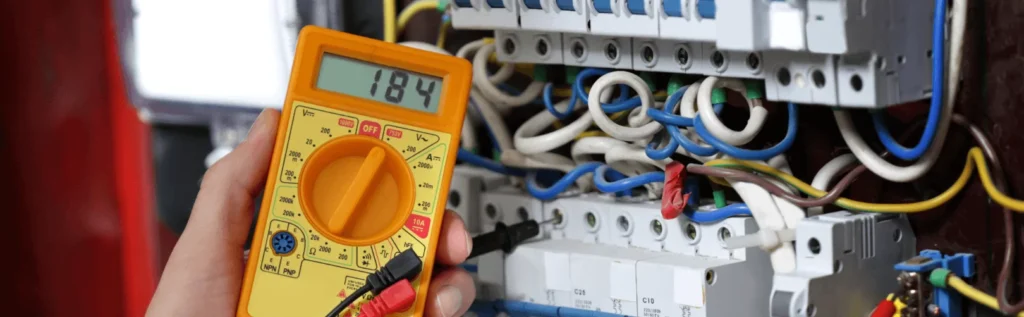
Even if you’re comfortable with basic DIY, it’s smart to bring in a professional for wiring-related tasks or when you notice electrical warning signs. Consider calling a pro when:
- Breakers trip repeatedly after you add cameras, doorbells, or other devices.
- Your existing doorbell transformer can’t reliably power a smart unit.
- You have older wiring, ungrounded outlets, or a panel that runs hot.
- Exterior camera locations require new power drops or protected conduit.
- Your Wi-Fi coverage is weak, requiring access point installation or structured cabling.
A professional evaluates load capacity, confirms code compliance, and ensures each device connects to a stable power source. That means fewer callbacks, better uptime, and a safer system overall.
Smart Upgrades Vasiliy Often Supports
Vasiliy focuses on practical, high-value improvements that make your home easier to manage day-to-day. Common projects include:
- Smart thermostat installation and setup, including wiring checks and C-wire solutions.
- Video doorbell installs with transformer assessment, chime integration, and notification tuning.
- Security camera placement, power routing, exterior conduit, and network optimization.
- Smart lighting and dimmer switches for scene-based control and energy efficiency.
- Smart lock installs with access schedules for family members or service providers.
- Wi-Fi tuning, mesh network installs, and hardwired access points for reliable coverage.
Comparison Table: Popular Smart Devices
| Device | Best For | Key Features | Power/Wiring | Notes |
|---|---|---|---|---|
| Nest Learning Thermostat | Hands-off efficiency | Adaptive learning, geofencing, scheduling | Typically needs C-wire or power workaround | Polished design; strong app support |
| Ecobee Smart Thermostat | Room-by-room comfort | Remote sensors, occupancy detection, voice | C-wire recommended; PEK kit available | Great for multi-room temperature balance |
| Ring Video Doorbell (wired) | Always-on power, chime integration | HD video, motion zones, smart alerts | Requires doorbell transformer and wiring | Reliable, simple app experience |
| Ring Video Doorbell (battery) | Easy installs, renters | HD video, two-way audio | Rechargeable battery or solar accessory | Fast setup; watch Wi-Fi placement |
| Arlo Pro Cameras | Flexible placement | Wire-free options, HDR, smart detection | Battery or solar; optional wired | Great for detached areas or long driveways |
Infographic: Typical Smart Home Upgrade Process
- Walkthrough & Goals: Identify priority areas—energy savings, entry monitoring, yard coverage.
- Site Survey: Check Wi-Fi strength, outlet availability, transformer ratings, and wire pathways.
- Device Selection: Choose thermostat, cameras, and doorbell that fit your budget and ecosystem.
- Power & Network Plan: Confirm panel capacity, circuit availability, and any low-voltage needs.
- Install & Wire: Mount devices, run cable (if needed), weatherproof exterior connections.
- Configure & Test: Update firmware, set motion zones, tune alerts, create schedules.
- Training & Hand-off: Quick app walkthrough, maintenance tips, and backup settings.
- Follow-Up: Optional seasonal check to adjust settings for winter/summer.
Maintenance and Troubleshooting Tips
Keep Devices Updated
Enable automatic updates when available. Firmware updates often improve stability, security, and features.
Protect Your Network
Use strong Wi-Fi passwords, change default device logins, and segment smart devices if your router supports guest networks or VLANs. Reliable Wi-Fi placement—often with mesh nodes—prevents disconnects that undermine alerts and recordings.
Mind the Power
Doorbells and cameras depend on steady power. If you notice frequent reboots or offline periods, a weak transformer or overloaded circuit may be the cause. A quick electrical assessment can save you hours of troubleshooting.
Weatherproofing & Placement
Use proper gaskets and weatherproof junction boxes for exterior gear. Avoid aiming cameras directly at bright lights or busy streets that cause false alerts. Adjust motion zones to capture the areas you care about most.
Seasonal Settings
- Winter: Tweak thermostat schedules for holidays and travel. Consider reduced sensitivity for exterior motion during heavy snowfall.
- Summer: Adjust camera zones for landscaping growth and seasonal lighting. Keep batteries topped off or consider solar accessories.
Electrical Safety and Smart Upgrades: Why Your Panel and Breakers Matter
Smart devices are small individually, but they still rely on a safe, well-managed power system. Before adding multiple cameras or a hardwired doorbell, it’s wise to consider the health of your panel, breakers, and existing wiring.
If you suspect overloaded circuits, warm outlets, or lights dimming when devices activate, schedule circuit breaker repair clifton park ny. Addressing panel issues early prevents nuisance trips, protects sensitive electronics, and ensures your smart system performs reliably through the seasons.
For older homes, a quick inspection can reveal whether your wiring and breakers align with today’s code expectations. Sometimes, a small upgrade—like a new transformer for your doorbell or dedicating a circuit for exterior cameras—makes a big difference in uptime and safety.
How Smart Devices Add Everyday Convenience
- One-Tap Control: Lock the front door, arm cameras, and adjust temperature from the same app.
- Shared Access: Give family or caretakers limited, trackable access for peace of mind.
- Automations: Lights on at dusk, porch camera alerts after 10 p.m., thermostat setbacks when nobody’s home.
- Proactive Alerts: Learn about motion events, low batteries, offline devices, or unusual activity in real time.
Case-Style Examples: Clifton Park Use Cases
1) The Commuter Household
A family with alternating work schedules relies on a smart doorbell to verify package drop-offs and remote locks to let in a dog walker at midday. The smart thermostat switches to eco-mode when the last person leaves, trimming utility bills without manual intervention.
2) The Outdoor Enthusiast
Exterior cameras cover the driveway, boat, and backyard gate. Solar-powered units provide flexibility. The system sends alerts only for people and vehicles, minimizing false alarms from wildlife.
3) The Multi-Generation Home
A stand-alone camera keeps an eye on the side entrance used by older family members. If there’s activity after a set time, a discrete alert goes to a caregiver. The thermostat prioritizes comfort in frequently used rooms with remote sensors.
Planning Your Budget Without Surprises
Budgeting for smart home upgrades is simpler if you break costs into three buckets: devices, installation, and any electrical or network enhancements. Start with your top two priorities—most homeowners begin with the thermostat and front door. Then expand to driveway and backyard cameras.
When reviewing quotes, ask for details on wiring needs, transformer checks, and any panel considerations. If your installer flags concerns, it’s better to resolve them early with targeted electrical work than to chase intermittent issues later. And remember, preventive fixes now often cost less than reactive emergency calls in the future.
Frequently Asked Questions
Do I need a C-wire for my smart thermostat?
Many models work best with a C-wire to provide constant power. If your system lacks one, there are adapter kits and professional wiring solutions that make installation clean and reliable.
Should I choose wired or battery cameras?
Wired cameras offer consistent power and continuous recording in many setups. Battery cameras are easier to place and are great for hard-to-reach areas. The right choice depends on location, power access, and desired features.
What internet speed do I need?
Most homes do well with modern broadband and a strong Wi-Fi network. Strategic placement of routers or mesh nodes is more important than raw speed for reliability across your property.
What about privacy?
Choose devices with strong encryption, enable two-factor authentication, and review privacy settings (like disabling audio where required). Keep firmware up to date.
Can I integrate everything into one app?
Many ecosystems allow central control and automations. A professional will help you choose a platform that aligns with your current devices and future plans.
How do I prevent false motion alerts?
Use activity zones, adjust sensitivity, and aim cameras away from busy roads or moving foliage. Smart detection features help identify people, vehicles, and packages more accurately.
Smart Device Placement Tips
- Thermostats: Install away from direct sunlight and drafts to get accurate readings.
- Cameras: Mount at head height or slightly above and aim across the area rather than straight out for better facial recognition.
- Doorbells: Ensure clear view of the approach; verify transformer voltage for consistent power.
Network and Power: The Backbone of Reliability
Your devices are only as dependable as your network and power. Plan for sufficient Wi-Fi coverage and consider hardwiring key locations. If you encounter persistent power or breaker issues as you add devices, prioritize circuit breaker repair clifton park ny to keep your smart system stable.
From First Device to Full Ecosystem
Start with the essentials—thermostat and doorbell—then add cameras and smart lighting as your comfort grows. With a phased approach, you can spread costs, learn the features that matter most to you, and ensure every new device works harmoniously with your existing setup.
Conclusion: Invest in Safety, Efficiency, and Everyday Ease
Smart thermostats, security cameras, and video doorbells deliver real-world benefits: lower energy bills, improved security, and easy access to your home from anywhere. The key to long-term satisfaction is planning, clean installation, and a reliable electrical foundation. If you’re ready to modernize your home without the guesswork, Vasiliy is here to help you choose, install, and fine-tune the right devices for your lifestyle.
To ensure your power setup is safe and reliable during upgrades, schedule circuit breaker repair clifton park ny as needed. For friendly, professional installation and support, contact Local Handyman Repair and get your Clifton Park home smart, secure, and energy-savvy today.
This post has been published by Powerful Media Solutions. If you are looking for a marketing agency, please reach out.
